Mình chuyển từ VS Code sang Cursor cách đây khoảng một năm, ban đầu chỉ vì tò mò. Tưởng dùng thử vài ngày rồi quay lại — giờ thì không quay lại được nữa. Không phải vì Cursor làm được điều gì magic, mà vì cái cảm giác quay lại VS Code thuần giống như bỏ xe máy đi xe đạp — vẫn đến nơi, nhưng chậm hơn rõ ràng.
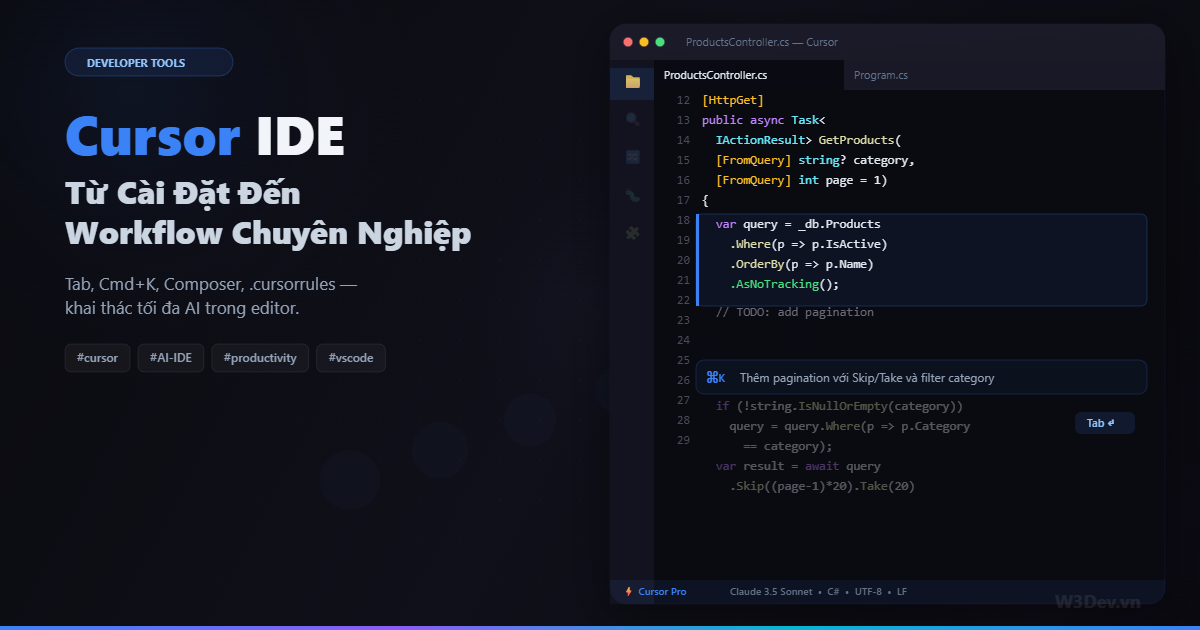
Cursor về bản chất là VS Code fork, nên mọi extension, keybinding, setting bạn đang có đều giữ nguyên. Cái nó thêm vào là ba tính năng AI tích hợp sâu vào editor: Tab prediction, Cmd+K inline edit, và Composer cho multi-file changes. Nghe đơn giản, nhưng khi dùng đúng workflow thì tốc độ code tăng đáng kể.
Bài viết này đi từ setup đến những kỹ thuật mình dùng hàng ngày — không phải feature tour kiểu official docs, mà là workflow thực tế từ một người code .NET + Angular mỗi ngày.
Cài đặt và migrate từ VS Code
Download từ cursor.com, cài như bình thường. Lần đầu mở, nó hỏi import VS Code settings:
- Extensions — import hết, gần như 100% compatible
- Keybindings — giữ nguyên
- Settings.json — giữ nguyên
- Themes — giữ nguyên
Mình khuyên chọn import tất cả. Cursor IS VS Code về mặt editor — chỉ khác lớp AI ở trên. Bạn không mất gì khi chuyển.
Sau khi cài, login Cursor account và chọn model. Free tier cho 2000 completions/tháng. Pro ($20/month) cho unlimited Tab + 500 "fast" premium requests/tháng. Nếu dùng nghiêm túc, Pro đáng tiền.
Chọn model
Vào Settings → Cursor → Models. Mình recommend setup:
- Tab completion: để mặc định (Cursor's own model — nhanh, chính xác cho autocomplete)
- Cmd+K: Claude Sonnet hoặc GPT-4o (balance giữa chất lượng và tốc độ)
- Composer: Claude Sonnet (cần model mạnh cho multi-file reasoning)
- Chat: Claude Sonnet hoặc tùy ý
Đừng dùng model quá mạnh (Opus) cho Tab completion — nó chậm và tốn quota. Tab cần nhanh, không cần thông minh lắm.
Tính năng 1: Tab — autocomplete đã hiểu context
Tab trong Cursor không phải autocomplete thường — nó predict dựa trên file hiện tại, file liên quan, và cả những gì bạn vừa làm gần đây.
Ví dụ bạn vừa tạo CreateProductRequest:
public record CreateProductRequest(
    string Name,
    decimal Price,
    string Category);
Bây giờ bạn bắt đầu gõ public record Update — Cursor Tab sẽ suggest:
public record UpdateProductRequest(
    string Name,
    decimal Price,
    string Category);
Nó hiểu pattern: Create → Update, và suggest toàn bộ record với cùng fields. Nhấn Tab một cái, xong.
Tab hoạt động tốt nhất khi:
Viết code lặp pattern. DTO cho 5 entity? Gõ cái đầu tiên cẩn thận, 4 cái sau Tab gần như auto. Mapping function, validator rules, test cases — tất cả pattern-based code, Tab bắt rất tốt.
Implement interface. Bạn gõ : IProductRepository, Tab suggest toàn bộ method implementations dựa trên interface definition.
Viết test. Test thường follow pattern: Arrange, Act, Assert. Gõ test đầu tiên, các test sau Tab predict gần đúng vì nó thấy pattern.
Tab không tốt khi:
Logic phức tạp. Business rule specific, math phức tạp, algorithm — Tab chỉ predict syntax pattern, không hiểu logic. Đừng tin Tab cho những dòng code cần suy nghĩ.
Code bạn chưa từng viết trong project. Tab learn từ context hiện tại. Nếu project chưa có pattern tương tự, prediction sẽ kém.
Tip: Multi-line Tab
Cursor Tab có thể suggest nhiều dòng — nhưng bạn cần biết cách trigger. Gõ comment mô tả:
// validate request: name not empty, price > 0, category exists
Rồi Enter, Tab sẽ suggest khối validation code. Comment-driven development — nghe buồn cười nhưng hiệu quả thật.
Tính năng 2: Cmd+K — inline edit ngay trong code
Đây là tính năng mình dùng nhiều nhất. Chọn đoạn code, nhấn Cmd+K (hoặc Ctrl+K trên Windows), gõ instruction, Enter. Code được sửa inline — không cần copy paste từ chat.
Use case 1: Thêm logic vào code có sẵn
Chọn method GetProducts:
Cmd+K: Thêm filter theo price range (minPrice, maxPrice)
       và sort theo field tùy chọn (name, price, createdAt)
Cursor sửa trực tiếp method — thêm parameter, thêm Where clause, thêm OrderBy. Bạn thấy diff ngay trong editor, Accept hoặc Reject.
Use case 2: Refactor đoạn code
Chọn khối if-else dài:
Cmd+K: Refactor thành switch expression
Hoặc chọn method 50 dòng:
Cmd+K: Extract phần validation thành private method riêng
Use case 3: Convert
Cmd+K: Convert sang async/await

Cmd+K: Convert class sang record

Cmd+K: Đổi sang dùng ILogger thay vì Console.WriteLine
Use case 4: Fix lỗi ngay tại chỗ
Red squiggle ở dòng code? Chọn dòng đó:
Cmd+K: Fix compilation error
Cursor đọc error message từ Language Server, hiểu context, sửa luôn. Nhanh hơn đọc error rồi tự sửa, đặc biệt với generic constraint errors hay LINQ type inference errors trong C#.
Cmd+K tips
Chọn đủ context. Nếu chọn quá ít code, Cursor không hiểu đủ. Chọn cả method signature, không chỉ body. Chọn cả class declaration nếu cần hiểu field/dependency.
Instruction cụ thể. "Improve this code" → output mơ hồ. "Thêm null check cho parameters và throw ArgumentNullException" → output chính xác.
Dùng cho documentation. Chọn method, Cmd+K: Thêm XML doc comment giải thích params và return value. Nhanh hơn gõ tay nhiều.
Tính năng 3: Composer — multi-file AI edit
Cmd+Shift+I mở Composer — đây là công cụ mạnh nhất và cũng dễ dùng sai nhất.
Composer có thể đọc nhiều file, tạo file mới, sửa nhiều file cùng lúc. Nó giống Claude Code nhưng trong IDE — visual diff cho từng file, accept/reject từng change.
Khi nào dùng Composer thay vì Cmd+K?
Cmd+K: sửa code TRONG một file, bạn đã biết sửa ở đâu.
Composer: task cần tạo hoặc sửa NHIỀU file, hoặc bạn chưa biết file nào cần sửa.
Ví dụ thực tế
Composer: Tạo CRUD cho entity Category.
Tham chiếu ProductsController cho convention.
Cần: Entity, DTO, Controller, Validator, Unit Test.
Đăng ký DI trong Program.cs.
Composer tạo 5-6 file mới, sửa Program.cs — bạn thấy diff từng file, review, accept riêng lẻ.
Composer: Tất cả API endpoint hiện tại trả về object trực tiếp.
Wrap tất cả response trong ApiResponse<T> wrapper.
Tạo ApiResponse class nếu chưa có.
Sửa tất cả controller cho consistent.
Composer scan toàn bộ controllers, tạo ApiResponse<T>, sửa từng return statement. Kiểu task mà làm tay thì mất cả buổi.
Composer tips
Tag file bằng @. Trong Composer prompt, gõ @ProductsController.cs để chỉ rõ file cần đọc. Cursor auto-detect context, nhưng tag explicit chính xác hơn.
Composer: Tạo integration test cho @ProductsController.cs
theo pattern của @OrdersControllerTests.cs
Dùng @WebApplicationFactory setup từ tests/
Chia nhỏ khi task lớn. Composer xử lý tốt 3-5 file changes. 10+ file changes thì chất lượng giảm rõ — nó bắt đầu quên instruction, miss edge case. Chia thành 2-3 Composer sessions.
Review từng file. ĐỪNG bấm "Accept All". Đọc diff từng file. Composer đôi khi sửa thêm thứ bạn không yêu cầu — catch sớm.
Tính năng 4: Chat (Cmd+L) — khi cần hỏi, không cần edit
Cmd+L mở sidebar chat. Khác với Composer, Chat không edit file — nó trả lời câu hỏi, giải thích code, suggest approach.
Chat: Giải thích authentication flow trong project này.
      Middleware nào xử lý JWT? Token refresh ở đâu?

Chat: Mình muốn thêm caching layer. Có mấy option nào?
      IMemoryCache vs Redis vs output cache?
      Pros/cons cho use case product listing?
Chat hiểu project context (đọc file bạn đang mở + file liên quan), nên câu trả lời specific hơn hỏi ChatGPT rất nhiều.
Power move: Chat → Composer pipeline. Hỏi Chat trước để hiểu approach, confirm design, rồi dùng Composer để implement. Không nhảy thẳng vào Composer cho task phức tạp.
.cursorrules — config AI cho project
Đây là file quan trọng nhất mà ít người setup. Tạo .cursorrules ở root project — Cursor đọc file này làm context cho mọi AI interaction:
You are a senior .NET developer working on an e-commerce API.

## Tech Stack
- .NET 8, C# 12
- PostgreSQL with EF Core 8
- xUnit + Moq for testing
- FluentValidation for request validation
- MediatR for CQRS pattern

## Code Conventions
- Use records for DTOs and request/response objects
- Use primary constructors for services
- All endpoints return ApiResponse<T>
- Repository pattern with IRepository<T> interface
- Async all the way — no .Result or .Wait()
- Use DateTimeOffset, never DateTime

## Naming
- Suffix DTOs with "Dto" (ProductDto, OrderDto)
- Suffix requests with "Request" (CreateProductRequest)
- Suffix validators with "Validator" (CreateProductRequestValidator)
- Test classes: {ClassName}Tests
- Test methods: {MethodName}_Should{ExpectedBehavior}_When{Condition}

## File Structure
src/
  Api/
    Features/{Feature}/
      {Feature}Controller.cs
      {Feature}Service.cs
      {Feature}Dto.cs
      {Feature}Validator.cs
tests/
  Api.Tests/
    Features/{Feature}/
      {Feature}ServiceTests.cs
      {Feature}ControllerTests.cs

## Rules
- NEVER use raw SQL, always use EF Core LINQ
- NEVER return entity directly, always map to DTO
- Every public method must have XML documentation
- Every controller action must have unit test
- Check null parameters with ArgumentNullException.ThrowIfNull()
Có file này, mọi code Cursor generate sẽ follow convention — naming đúng, structure đúng, pattern đúng. Không có nó, mỗi lần generate code kiểu khác nhau, bạn phải sửa tay.
.cursorrules cho Angular project
You are a senior Angular developer.

## Stack
- Angular 18+ with standalone components
- Signals for state management
- PrimeNG for UI components
- TailwindCSS for styling

## Conventions
- Standalone components only, no NgModules
- Use signals and computed() over BehaviorSubject when possible
- Use inject() function, not constructor injection
- Use @if/@for/@switch, not *ngIf/*ngFor
- Lazy load all feature routes

## File Naming
- Components: {name}.component.ts
- Services: {name}.service.ts
- Stores: {name}.store.ts (signal-based)
- Models: {name}.model.ts

## Rules
- No 'any' type — always explicit types
- Use async pipe or toSignal() for observables in templates
- Every component must have OnPush change detection
- Max 200 lines per component file
Workflow thực tế: một ngày với Cursor
Đây là cách mình dùng Cursor trong ngày làm việc bình thường:
8:30 — Mở PR cần review. Mở file changes, Cmd+L Chat: "Review các changes trong file này. Có issue gì về performance, security, hoặc convention không?" Cursor chỉ ra vấn đề nhanh, mình verify rồi comment trên PR.
9:00 — Bắt đầu feature mới. Đọc ticket. Cmd+L Chat: "Mình cần implement feature X. Based on project hiện tại, approach nào hợp lý? File nào cần tạo/sửa?" Cursor suggest approach, mình confirm.
Mở Composer, mô tả feature, tag file reference. Composer tạo files, mình review diff từng file, accept.
10:00 — Code chi tiết. Tab autocomplete cho boilerplate code. Cmd+K cho inline edits — thêm validation, sửa query, convert logic. Nhanh vì không cần switch context ra chat rồi copy paste.
11:00 — Bug report đến. Copy error message, Cmd+L Chat: paste error + "File nào gây ra lỗi này?" Cursor đọc stack trace, chỉ file. Cmd+K trên đoạn code lỗi: "Fix: ..." Apply, chạy test, done.
14:00 — Viết test. Mở Composer: "Viết unit test cho @ProductService.cs. Cover happy path và edge cases. Theo convention @OrderServiceTests.cs." Accept, chạy test, fix nếu fail.
16:00 — Refactor trước khi commit. Chọn code cần refactor, Cmd+K nhiều lần cho từng đoạn. Commit message — Cmd+L: "Tóm tắt changes thành conventional commit message."
Keyboard shortcuts cần nhớ
Tab             Accept AI suggestion
Esc             Dismiss suggestion
Cmd+K           Inline edit (trong code)
Cmd+L           Open Chat sidebar
Cmd+Shift+I     Open Composer
Cmd+.           Quick fix (VS Code native, vẫn dùng)
@filename       Tag file trong Chat/Composer
@codebase       Reference toàn bộ codebase
Mình map thêm:
// keybindings.json
{
  "key": "cmd+shift+k",
  "command": "composer.open",
  "when": "editorTextFocus"
}
So sánh Cursor vs GitHub Copilot vs Continue
                    Cursor          Copilot         Continue
────────────────────────────────────────────────────────────
Base editor         VS Code fork    VS Code ext     VS Code ext
Tab completion      Rất tốt         Rất tốt         Tốt
Inline edit         Cmd+K (mạnh)    Không            Có
Multi-file edit     Composer         Không           Không
Chat in IDE         Có              Copilot Chat    Có
Custom rules        .cursorrules    Không            .continuerules
Model choice        Nhiều model     GPT-4o only     Bất kỳ model
Self-hosted model   Có (config)     Không            Có
Price               $20/mo Pro      $10/mo           Free
────────────────────────────────────────────────────────────
Copilot rẻ hơn và Tab completion ngang ngửa. Nhưng Cursor thắng ở Cmd+K inline edit và Composer multi-file — hai tính năng Copilot không có equivalent.
Continue là free alternative tốt nếu budget hạn chế hoặc cần dùng self-hosted model (Ollama). Nhưng chất lượng AI suggestion kém hơn Cursor một bậc.
Những sai lầm khi dùng Cursor
Accept tất cả mà không đọc. Cursor generate code nhanh, dễ lười review. Nhưng nó vẫn sai — đặc biệt với business logic, edge case, và security. Review mỗi diff như review PR từ junior dev.
Dùng Composer cho mọi thứ. Thêm một dòng import? Cmd+K hoặc tự gõ nhanh hơn. Composer overhead là đáng kể — nó phải đọc context, generate plan, tạo diff. Chỉ dùng cho task multi-file hoặc task bạn không biết bắt đầu từ đâu.
Prompt quá vague. "Make this better" → output ngẫu nhiên. "Thêm error handling: catch HttpRequestException, log error, return fallback value" → output chính xác. Cursor không đọc được ý bạn, nó đọc prompt.
Không setup .cursorrules. Đây là sai lầm lớn nhất. Mỗi lần generate code, bạn phải sửa naming, structure, convention bằng tay. 5 phút setup .cursorrules tiết kiệm hàng giờ về sau.
Quên rằng AI không hiểu business. Cursor hiểu code syntax, không hiểu "VIP customer không được dùng combo discount cho order có shipping fee miễn phí". Diễn đạt rõ business rule trong prompt — đừng assume.
Settings gợi ý
// settings.json - thêm vào
{
  // bật Tab prediction mạnh hơn
  "cursor.cpp.enablePartialAccepts": true,

  // auto-apply suggestion khi chỉ có 1 option
  "cursor.general.enableShadowWorkspace": true,

  // model mặc định cho Cmd+K
  "cursor.aimodel.default": "claude-3-5-sonnet",

  // bật codebase indexing cho context tốt hơn
  "cursor.general.enableCodebaseIndexing": true
}
enableCodebaseIndexing rất quan trọng — Cursor index toàn bộ project để AI hiểu codebase. Lần đầu bật sẽ mất vài phút index, sau đó chạy nền.
Tổng kết
Cursor không phải "VS Code + ChatGPT sidebar". Nó là editor mà AI được tích hợp vào workflow — Tab predict ngay khi bạn gõ, Cmd+K edit ngay tại chỗ, Composer tạo nhiều file từ một prompt. Sự khác biệt nằm ở friction: không cần copy paste, không cần switch window, không cần mô tả lại context mỗi lần.
Ba thứ cần setup ngay: .cursorrules cho project convention, chọn model phù hợp cho từng tính năng, và học thuộc ba shortcut Tab, Cmd+K, Cmd+Shift+I. Phần còn lại là tích lũy kinh nghiệm prompt — giống như học bất kỳ tool nào, dùng nhiều thì giỏi.
Mình vẫn tin rằng dev cần hiểu code mình viết. Cursor không thay thế việc hiểu — nó tăng tốc phần mechanical để bạn có thêm thời gian cho phần creative.

Leave a comment
Your email address will not be published. Required fields are marked *