Code review là bottleneck lớn nhất trong workflow của team mình. PR tạo xong, chờ reviewer 2-3 tiếng, nhận feedback, sửa, chờ review lại. Một feature đơn giản mất 2 ngày chỉ vì review cycle. Reviewer thì overload — mỗi người review 5-8 PR/ngày, dễ miss bug vì mệt.
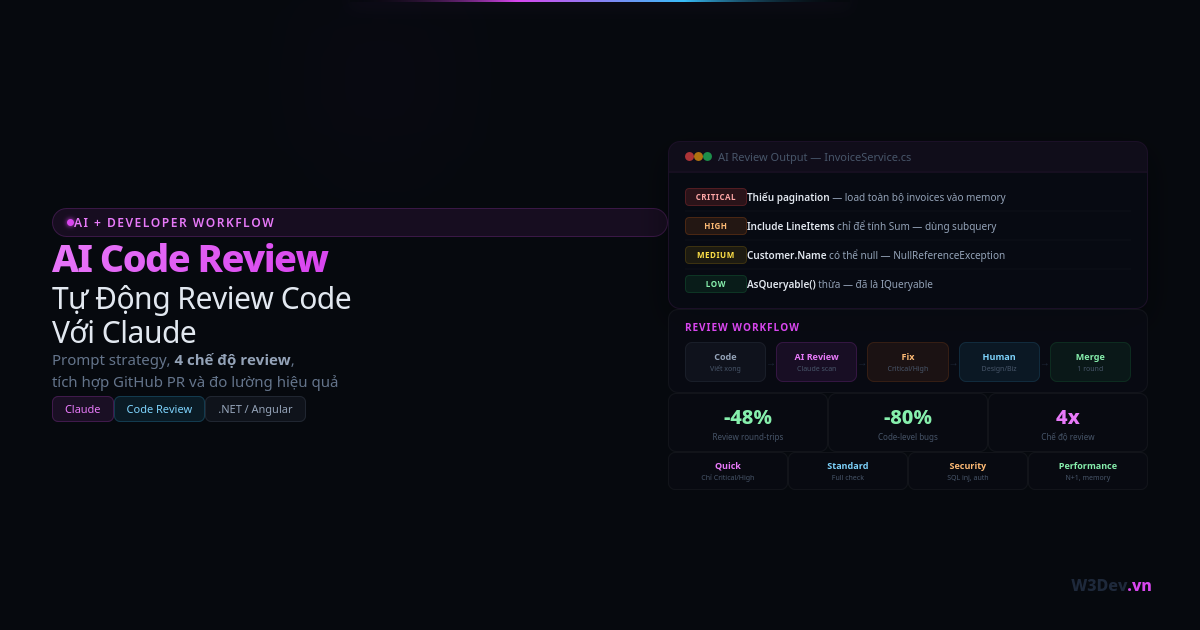
Mình bắt đầu dùng Claude để review code trước khi submit PR cho team. Không phải thay thế human review — mà là lọc hết code-level issues trước, để reviewer con người focus vào design và business logic. Kết quả: review cycle giảm từ 2-3 lần xuống 1 lần, reviewer ít phải comment code style hay missing null check, focus vào những thứ quan trọng hơn.
Bài viết này chia sẻ cách mình setup AI code review trong workflow thực tế — từ prompt strategy, các loại issue AI bắt tốt, đến những thứ AI không thể review.
Tại sao AI review trước, human review sau?
Review có nhiều layer. Code-level: naming convention, null check, error handling, unused imports, code duplication. Logic-level: algorithm đúng không, edge cases, race conditions. Design-level: pattern phù hợp không, coupling, single responsibility. Business-level: feature đúng requirement không, domain logic đúng không.
AI bắt code-level issues cực tốt — nhanh hơn, không mệt, không bỏ sót vì đã nhìn code 3 tiếng liên tục. Logic-level AI bắt được khoảng 60-70%. Design-level và business-level AI yếu — vì thiếu context về team convention, architectural decisions, và domain knowledge.
Nếu AI đã bắt hết code-level issues trước khi PR đến tay reviewer, reviewer không phải comment "thiếu null check ở dòng 42" hay "naming không đúng convention." Thay vào đó focus vào: "Architecture approach này có phù hợp với roadmap không?" hay "Business logic ở đây cần xử lý thêm case X." Review chất lượng hơn, nhanh hơn.
Cách 1: Review thủ công bằng Claude Chat
Cách đơn giản nhất — copy code, paste vào Claude, nhận feedback:
Review code C# sau cho dự án ASP.NET Core + EF Core + PostgreSQL.
Dự án dùng multi-tenant (TenantId filter), soft delete (IsDeleted),
và Clean Architecture.

Focus:
- Security vulnerabilities
- Performance issues (N+1, unnecessary ToList)
- Missing error handling
- EF Core anti-patterns
- Async/await issues

Đánh severity: Critical / High / Medium / Low / Info

[paste code ở đây]
Prompt này hiệu quả vì: cung cấp tech stack (AI biết convention của ASP.NET Core + EF Core), nêu rõ architectural decisions (multi-tenant, soft delete — AI kiểm tra xem code có tuân thủ không), chỉ rõ focus areas (không review formatting hay naming — tốn token), và có severity system (dễ prioritize fix).
Ví dụ thực tế
Mình paste một service method:
public async Task<List<InvoiceDto>> GetInvoicesAsync(
    InvoiceFilterRequest filter)
{
    var query = _context.Invoices
        .Include(i => i.Customer)
        .Include(i => i.LineItems)
        .AsQueryable();

    if (!string.IsNullOrEmpty(filter.Status))
        query = query.Where(i => i.Status.ToString() == filter.Status);

    if (filter.FromDate.HasValue)
        query = query.Where(i => i.CreatedAt >= filter.FromDate.Value);

    if (filter.ToDate.HasValue)
        query = query.Where(i => i.CreatedAt <= filter.ToDate.Value);

    var invoices = await query.ToListAsync();

    return invoices.Select(i => new InvoiceDto
    {
        Id = i.Id,
        InvoiceNumber = i.InvoiceNumber,
        CustomerName = i.Customer.Name,
        TotalAmount = i.LineItems.Sum(li => li.Quantity * li.UnitPrice),
        Status = i.Status.ToString(),
        CreatedAt = i.CreatedAt
    }).ToList();
}
Claude trả về issues:
Critical: Không có pagination. Query load toàn bộ invoices vào memory. 10,000 invoices × Include Customer + LineItems = memory spike + timeout. Cần .Skip().Take() hoặc cursor-based pagination.
High: Include LineItems chỉ để tính TotalAmount. Load toàn bộ line items vào memory chỉ để .Sum(). Dùng .Select() với subquery để tính trên database: TotalAmount = i.LineItems.Sum(li => li.Quantity * li.UnitPrice) — EF Core translate thành SQL SUM, không load line items.
High: Enum comparison bằng string. i.Status.ToString() == filter.Status không translate sang SQL — EF Core sẽ load tất cả rồi filter trong memory (hoặc throw exception tùy version). Parse string thành enum trước: Enum.TryParse<InvoiceStatus>(filter.Status, out var status) rồi Where(i => i.Status == status).
Medium: Mapping thủ công thay vì dùng AutoMapper/Mapster. Nếu InvoiceDto có 20 properties, manual mapping dễ miss field. Dùng AutoMapper profile hoặc ít nhất extension method .ToDto() tập trung một chỗ.
Medium: .Customer.Name có thể null. Nếu Customer bị soft delete hoặc Include fail, i.Customer null → NullReferenceException. Dùng i.Customer?.Name ?? "Unknown" hoặc check null.
Low: AsQueryable() thừa. _context.Invoices đã là IQueryable — .AsQueryable() không thêm gì.
5 trong 6 issues mình đồng ý và fix. Issue về AutoMapper mình skip vì project nhỏ, manual mapping đủ rõ ràng. Nhưng overall — AI bắt được 2 Critical/High issues mà mình bỏ qua vì đã nhìn code quá quen.
Cách 2: Claude Code — Review trực tiếp trong terminal
Claude Code đọc được toàn bộ codebase — không cần copy-paste:
# Review file cụ thể
claude "Review file Services/InvoiceService.cs. Focus: performance,
security, EF Core patterns. Severity: Critical/High/Medium/Low"

# Review tất cả files thay đổi
claude "Review tất cả files đã thay đổi trong git diff.
So sánh với main branch. Focus: breaking changes,
security issues, performance regressions"

# Review theo ClickUp task
claude "Review code cho task CU-abc123. Kiểm tra xem
implementation có đúng requirement trong task description không"
Ưu điểm lớn nhất: Claude Code thấy được toàn bộ context — entity definitions, DbContext configuration, service registrations, appsettings. Khi review InvoiceService, nó biết Invoice entity có Soft Delete filter, biết AppDbContext có Global Query Filter cho multi-tenant, biết service đăng ký Scoped. Context này giúp AI review chính xác hơn nhiều so với paste một file đơn lẻ.
Cách 3: Tích hợp vào GitHub PR workflow
Đây là cách mình dùng hàng ngày — Claude Code review khi tạo PR:
# Tạo PR với auto-review
claude "Tạo GitHub PR cho branch hiện tại.
Trước khi tạo PR:
1. Review tất cả changes
2. Liệt kê issues theo severity
3. Nếu có Critical issue → dừng, không tạo PR
4. Nếu không có Critical → tạo PR với description
   bao gồm summary changes và known issues"
Workflow:
Code xong → Claude Code review → Fix critical/high issues
→ Claude Code tạo PR → Team reviewer review design/business
→ Merge
PR description Claude Code tạo rất chi tiết — summary changes, files affected, test coverage, known issues. Reviewer đọc description đã hiểu 80% context trước khi đọc code.
Bốn chế độ review
Tùy context, mình dùng prompt khác nhau:
Quick review — Chỉ bắt Critical và High
Review nhanh file này. CHỈ report Critical và High issues.
Bỏ qua style, naming, minor improvements.
Dự án: ASP.NET Core, EF Core, PostgreSQL, multi-tenant.
Dùng khi: hotfix cần merge nhanh, file nhỏ thay đổi ít, đã confident về code quality.
Standard review — Full check
Review đầy đủ file này.
Tech: ASP.NET Core 8, EF Core, PostgreSQL, Angular frontend.
Architecture: Clean Architecture, multi-tenant, soft delete.
Check: security, performance, error handling, async patterns,
EF Core queries, naming convention, SOLID principles.
Severity: Critical / High / Medium / Low / Info.
Dùng khi: feature mới, logic phức tạp, code sẽ chạy production lâu dài.
Security-focused review
Security review cho file này. FOCUS:
- SQL injection (raw queries, string concatenation)
- Authorization bypass (missing [Authorize], role check)
- Data exposure (returning sensitive fields, logging PII)
- Tenant isolation (missing TenantId filter, cross-tenant access)
- Input validation (missing validation, trusting client data)
Ignore: code style, performance, naming.
Dùng khi: endpoint public-facing, xử lý payment, authentication flow.
Performance review
Performance review cho file này. FOCUS:
- N+1 queries (missing Include, lazy loading)
- Unnecessary ToList/ToArray (evaluating query too early)
- Missing pagination (unbounded queries)
- Memory allocation (large objects, string concatenation in loop)
- Missing async (blocking calls in async context)
- Missing cancellation token propagation
Chỉ report issues có measurable impact.
Dùng khi: endpoint chậm, xử lý bulk data, high-traffic API.
Những issue AI bắt tốt nhất
Sau nhiều tháng dùng, mình nhận thấy AI đặc biệt giỏi ở những category này:
Null reference và missing validation
AI scan từng dòng code và tìm path dẫn đến null: "Nếu customer null ở dòng 15, dòng 23 gọi customer.Name sẽ throw NullReferenceException." Developer hay miss vì nghĩ "customer luôn có giá trị" — AI không assume.
EF Core anti-patterns
ToListAsync() trước Where() (client-side evaluation), missing Include dẫn đến lazy loading N+1, ToString() trong LINQ expression không translate sang SQL, SaveChangesAsync() trong loop thay vì batch. AI nhớ tất cả EF Core gotchas — developer hay quên.
Async/await issues
async void method (exception không bắt được), .Result hoặc .Wait() trong async context (deadlock), missing ConfigureAwait(false) trong library code, missing CancellationToken propagation. Những lỗi này subtle — code chạy đúng 99% nhưng crash dưới load.
Security issues phổ biến
SQL injection từ string concatenation, missing [Authorize] attribute, returning password hash trong DTO, logging sensitive data (credit card, SSN), missing CORS configuration, hardcoded secrets. AI check systematically — developer check by experience.
Copy-paste errors
Developer copy method A sang method B, đổi tên nhưng quên đổi biến bên trong. AI bắt ngay: "Method UpdateInvoice đang reference createRequest thay vì updateRequest ở dòng 34."
Những thứ AI review không tốt
Business logic correctness
AI không biết "invoice phải tự động chuyển sang Overdue sau 30 ngày" là requirement. Nó có thể review code tính toán đúng syntax, nhưng không biết 30 ngày là đúng hay sai — có thể requirement nói 45 ngày. Business logic validation cần human reviewer hiểu domain.
Architectural decisions
"Nên dùng CQRS ở đây không?" — AI có thể nêu pros/cons của CQRS, nhưng không biết team size, deadline, existing tech debt, và roadmap 6 tháng tới. Architectural decisions cần context mà chỉ team có.
Team conventions
Mỗi team có conventions riêng: repository pattern vs direct DbContext, exception types custom, response envelope format, logging structure. AI không biết team conventions trừ khi bạn specify trong prompt hoặc có CLAUDE.md file.
Integration correctness
"API call đến Vipps payment có đúng flow không?" — AI biết syntax HTTP call đúng, nhưng không biết Vipps API thực tế expect payload format nào (trừ khi bạn cung cấp docs). Integration testing cần human verify với actual service.
Setup CLAUDE.md cho project
Để AI review hiểu context project tốt hơn, tạo file CLAUDE.md ở root:
# Project Context

## Tech Stack
- ASP.NET Core 8, EF Core 8, PostgreSQL 16
- Angular 17 frontend
- Clean Architecture (API → Application → Domain → Infrastructure)

## Architecture Decisions
- Multi-tenant: shared database, TenantId on BaseEntity,
  Global Query Filter
- Soft Delete: IsDeleted + DeletedAt, Global Query Filter
- Authentication: JWT Bearer, tenant_id in claims
- Logging: Serilog, structured logging, no PII in logs

## Conventions
- Service methods: async, accept CancellationToken
- Repositories: không dùng, inject DbContext trực tiếp
- DTOs: suffix Request/Response, dùng records
- Validation: FluentValidation, validate in pipeline behavior
- Error handling: custom exceptions (NotFoundException,
  ValidationException, ForbiddenException)
- Naming: PascalCase C#, camelCase TypeScript

## Common Patterns
- Pagination: CursorBasedPagination<T> (không dùng offset)
- Filtering: IQueryable extension methods
- Mapping: manual mapping (không dùng AutoMapper)
- Background jobs: IHostedService + IServiceScopeFactory

## Known Issues
- Legacy invoices (pre-2023) không có TenantId —
  đã migrate nhưng cần IgnoreQueryFilters() cho reports
- Product.Metadata JSONB — chưa có GIN index,
  query chậm khi filter by metadata
Claude Code đọc CLAUDE.md tự động — review sẽ respect project conventions. Ví dụ: không suggest AutoMapper khi project convention là manual mapping. Không suggest repository pattern khi team dùng DbContext trực tiếp.
Đo lường hiệu quả
Sau 3 tháng dùng AI code review, mình track số liệu.
Review cycle giảm đáng kể. Trước: trung bình 2.3 round-trips per PR (submit → feedback → fix → feedback → fix → approve). Sau: trung bình 1.2 round-trips. Lý do: AI đã bắt hết code-level issues, human reviewer chỉ comment design/business — thường chỉ 1 round.
Bugs in production giảm. Trước: trung bình 3 bugs/sprint liên quan đến null reference, missing validation, EF Core issues. Sau: trung bình 0.5 bugs/sprint cùng category. Giảm 80% — vì AI bắt systematic, không bỏ sót.
Review time per PR giảm. Trước: reviewer mất 20-30 phút/PR (đọc code, check logic, check style, viết comment). Sau: 10-15 phút/PR (chỉ focus design và business logic).
Không phải tất cả nhờ AI — team cũng improve theo thời gian. Nhưng AI review là catalyst lớn nhất.
Anti-patterns khi dùng AI review
"AI approve thì merge luôn"
Sai. AI không biết business context. AI approve code technically correct nhưng business logic sai — vẫn bug. AI review là layer bổ sung, không thay thế human review.
Paste toàn bộ 500-line file
AI review tốt nhất với focused scope. Paste 500 dòng → AI cho 30 issues → overwhelm → bạn fix 5 cái, bỏ qua 25 cái. Thay vào đó: paste từng method hoặc từng concern — nhận feedback focused, fix hết, move on.
Không cung cấp context
"Review code này" → AI review generic, miss project-specific issues. "Review code này cho dự án multi-tenant EF Core, entity có soft delete, method này gọi từ Scoped service trong background job" → AI review chính xác, bắt đúng issues.
Fix mọi suggestion
AI suggest 10 improvements — không phải cái nào cũng cần fix. Có những suggestion technically correct nhưng không worth effort: rename variable khi code sắp refactor, add null check cho code path không bao giờ null, optimize query chỉ chạy 1 lần/ngày. Prioritize theo impact.
Kết luận
AI code review không phải tương lai — nó là hiện tại, và nó hoạt động. Không phải vì AI thông minh hơn developer, mà vì AI không mệt, không bỏ sót code-level issues, và scan systematic thay vì dựa vào kinh nghiệm.
Setup đơn giản nhất: copy code vào Claude, paste prompt template, đọc feedback, fix issues, rồi submit PR. Setup advanced hơn: Claude Code đọc codebase, review trước khi tạo PR, tích hợp vào CI. Cả hai đều hiệu quả — bắt đầu bằng cách nào thuận tiện nhất.
Kết quả thực tế: review cycle nhanh hơn, ít bugs hơn, reviewer focus vào những thứ quan trọng hơn. Đó là ROI đủ để justify 5-10 phút chạy AI review trước mỗi PR.

Leave a comment
Your email address will not be published. Required fields are marked *