Mỗi lần bắt đầu project mới, mình lại tốn cả buổi ngồi setup CI/CD pipeline từ đầu. Copy workflow cũ qua thì thiếu cái này, thừa cái kia, config sai environment, secret chưa set. Chạy đỏ lòm 15 lần mới xanh.
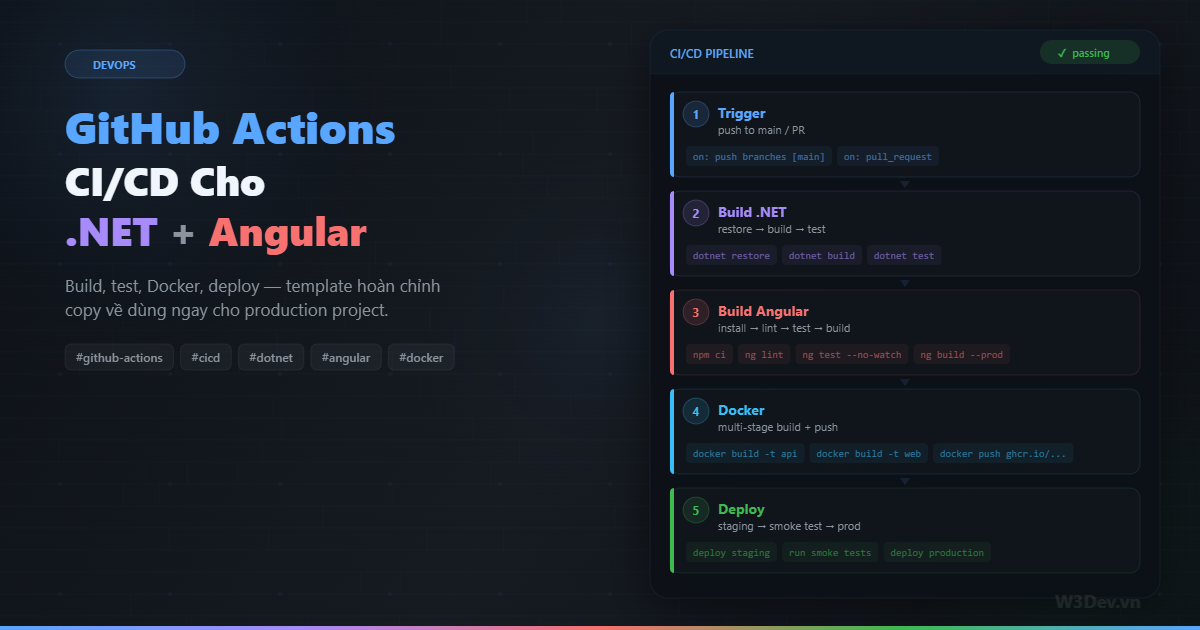
Sau nhiều project, mình đã đúc kết được một template GitHub Actions đủ dùng cho hầu hết project .NET + Angular: build cả backend lẫn frontend, chạy test, đóng Docker image, push lên registry, deploy staging rồi production. Bài viết này chia sẻ toàn bộ template đó, giải thích từng phần, và đặc biệt là những chỗ hay sai.
Cấu trúc project
Template này giả định project có cấu trúc monorepo:
project-root/
├── .github/
│   └── workflows/
│       ├── ci.yml          # chạy mỗi PR
│       └── cd.yml          # chạy khi merge vào main
├── src/
│   └── Api/
│       ├── Api.csproj
│       ├── Program.cs
│       └── Dockerfile
├── tests/
│   └── Api.Tests/
│       └── Api.Tests.csproj
├── web/
│   ├── angular.json
│   ├── package.json
│   └── src/
├── docker-compose.yml
└── Api.sln
Backend .NET nằm trong src/, test trong tests/, frontend Angular nằm trong web/. Hai workflow riêng biệt: ci.yml cho Pull Request (chỉ build + test), cd.yml cho deployment (build + test + docker + deploy).
Workflow 1: CI — chạy mỗi Pull Request
File này chạy mỗi khi có PR mở hoặc cập nhật. Mục đích duy nhất: đảm bảo code không broken trước khi merge.
# .github/workflows/ci.yml
name: CI

on:
  pull_request:
    branches: [main, develop]
  # cho phép chạy manual
  workflow_dispatch:

# cancel workflow cũ nếu PR được push thêm commit
concurrency:
  group: ci-${{ github.ref }}
  cancel-in-progress: true

jobs:
  # ===== BACKEND =====
  backend:
    name: Backend (.NET)
    runs-on: ubuntu-latest

    services:
      # PostgreSQL cho integration test
      postgres:
        image: postgres:16
        env:
          POSTGRES_USER: test
          POSTGRES_PASSWORD: test
          POSTGRES_DB: testdb
        ports:
          - 5432:5432
        options: >-
          --health-cmd pg_isready
          --health-interval 10s
          --health-timeout 5s
          --health-retries 5

    steps:
      - name: Checkout
        uses: actions/checkout@v4

      - name: Setup .NET
        uses: actions/setup-dotnet@v4
        with:
          dotnet-version: '8.0.x'

      # cache NuGet packages
      - name: Cache NuGet
        uses: actions/cache@v4
        with:
          path: ~/.nuget/packages
          key: nuget-${{ runner.os }}-${{ hashFiles('**/*.csproj') }}
          restore-keys: nuget-${{ runner.os }}-

      - name: Restore
        run: dotnet restore Api.sln

      - name: Build
        run: dotnet build Api.sln --no-restore --configuration Release

      - name: Test
        run: |
          dotnet test Api.sln \
            --no-build \
            --configuration Release \
            --logger "trx;LogFileName=results.trx" \
            --collect:"XPlat Code Coverage" \
            -- DataCollectionRunSettings.DataCollectors.DataCollector.Configuration.Format=cobertura
        env:
          ConnectionStrings__Default: "Host=localhost;Database=testdb;Username=test;Password=test"

      # upload test results
      - name: Test Report
        uses: dorny/test-reporter@v1
        if: always()
        with:
          name: .NET Test Results
          path: '**/results.trx'
          reporter: dotnet-trx

      # upload coverage
      - name: Coverage Report
        uses: codecov/codecov-action@v4
        if: always()
        with:
          files: '**/coverage.cobertura.xml'
          token: ${{ secrets.CODECOV_TOKEN }}

  # ===== FRONTEND =====
  frontend:
    name: Frontend (Angular)
    runs-on: ubuntu-latest

    steps:
      - name: Checkout
        uses: actions/checkout@v4

      - name: Setup Node
        uses: actions/setup-node@v4
        with:
          node-version: '20'
          cache: 'npm'
          cache-dependency-path: web/package-lock.json

      - name: Install
        working-directory: web
        run: npm ci

      - name: Lint
        working-directory: web
        run: npx ng lint

      - name: Test
        working-directory: web
        run: npx ng test --no-watch --browsers=ChromeHeadless --code-coverage

      - name: Build
        working-directory: web
        run: npx ng build --configuration=production

      # upload coverage
      - name: Coverage Report
        uses: codecov/codecov-action@v4
        if: always()
        with:
          files: web/coverage/**/cobertura-coverage.xml
          token: ${{ secrets.CODECOV_TOKEN }}
          flags: frontend
Vài điểm đáng chú ý:
concurrency với cancel-in-progress: true. Khi dev push thêm commit lên PR, workflow cũ đang chạy dở sẽ bị cancel — tiết kiệm phút Actions. Không có dòng này, mỗi commit sẽ chạy một workflow riêng, 5 commit push nhanh = 5 workflow chạy song song, tốn credit vô ích.
services: postgres. GitHub Actions cho phép chạy container service song song. PostgreSQL khởi động cùng job, integration test kết nối qua localhost:5432. health-cmd pg_isready đảm bảo Postgres sẵn sàng trước khi test chạy — thiếu cái này thì test hay fail vì DB chưa kịp start.
npm ci thay vì npm install. ci nhanh hơn vì nó dựa hoàn toàn vào package-lock.json, không modify lockfile, và xóa node_modules trước khi install. Trong CI, luôn dùng npm ci.
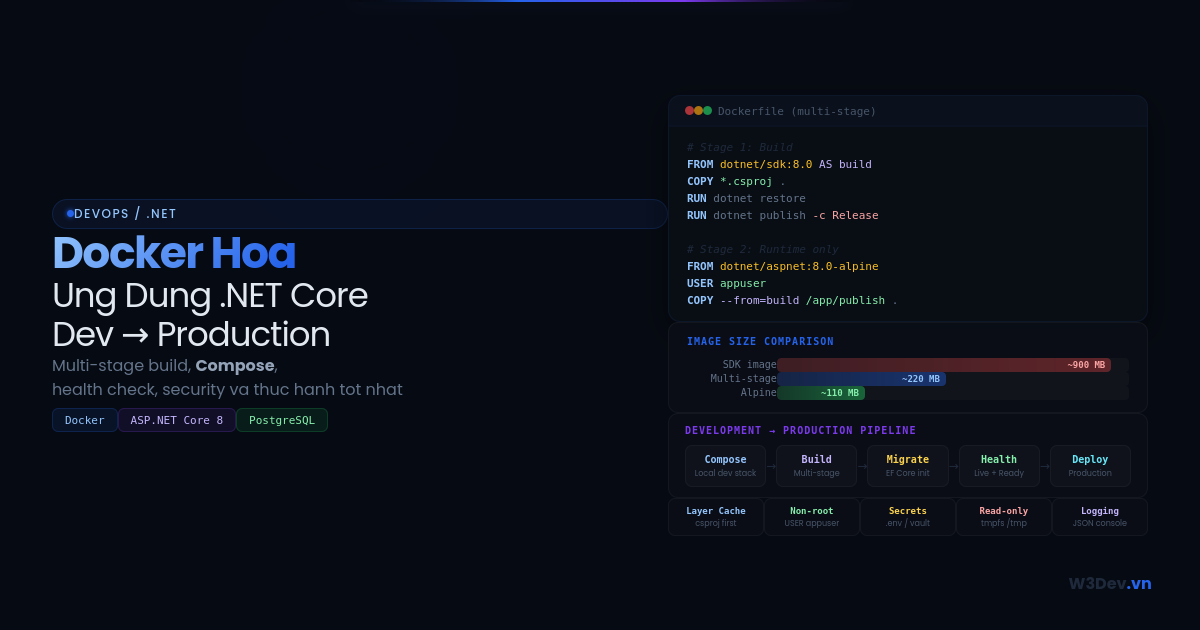
Cache. NuGet cache dựa trên hash của file .csproj — khi dependency không đổi, cache hit, restore nhanh hơn 10-20 lần. Node cache built-in trong setup-node action với cache: 'npm'.
Workflow 2: CD — build, docker, deploy
File này chạy khi code merge vào main. Pipeline đầy đủ: build → test → Docker → deploy staging → smoke test → deploy production.
# .github/workflows/cd.yml
name: CD

on:
  push:
    branches: [main]

env:
  REGISTRY: ghcr.io
  API_IMAGE: ghcr.io/${{ github.repository }}/api
  WEB_IMAGE: ghcr.io/${{ github.repository }}/web

jobs:
  # ===== BUILD + TEST (reuse CI logic) =====
  test-backend:
    name: Test Backend
    runs-on: ubuntu-latest
    services:
      postgres:
        image: postgres:16
        env:
          POSTGRES_USER: test
          POSTGRES_PASSWORD: test
          POSTGRES_DB: testdb
        ports: ['5432:5432']
        options: --health-cmd pg_isready --health-interval 10s --health-timeout 5s --health-retries 5
    steps:
      - uses: actions/checkout@v4
      - uses: actions/setup-dotnet@v4
        with: { dotnet-version: '8.0.x' }
      - run: dotnet restore Api.sln
      - run: dotnet build Api.sln --no-restore -c Release
      - run: dotnet test Api.sln --no-build -c Release
        env:
          ConnectionStrings__Default: "Host=localhost;Database=testdb;Username=test;Password=test"

  test-frontend:
    name: Test Frontend
    runs-on: ubuntu-latest
    steps:
      - uses: actions/checkout@v4
      - uses: actions/setup-node@v4
        with: { node-version: '20', cache: 'npm', cache-dependency-path: 'web/package-lock.json' }
      - run: npm ci
        working-directory: web
      - run: npx ng test --no-watch --browsers=ChromeHeadless
        working-directory: web
      - run: npx ng build -c production
        working-directory: web

  # ===== DOCKER BUILD + PUSH =====
  docker:
    name: Docker Build & Push
    runs-on: ubuntu-latest
    needs: [test-backend, test-frontend]
    permissions:
      contents: read
      packages: write

    steps:
      - uses: actions/checkout@v4

      - name: Login to GitHub Container Registry
        uses: docker/login-action@v3
        with:
          registry: ${{ env.REGISTRY }}
          username: ${{ github.actor }}
          password: ${{ secrets.GITHUB_TOKEN }}

      # Docker layer caching — giảm build time đáng kể
      - name: Set up Docker Buildx
        uses: docker/setup-buildx-action@v3

      # tạo tag dựa trên commit SHA (immutable) và latest
      - name: Generate tags
        id: meta
        run: |
          SHA=$(echo ${{ github.sha }} | cut -c1-7)
          echo "sha_tag=$SHA" >> $GITHUB_OUTPUT
          echo "api_tags=${{ env.API_IMAGE }}:$SHA,${{ env.API_IMAGE }}:latest" >> $GITHUB_OUTPUT
          echo "web_tags=${{ env.WEB_IMAGE }}:$SHA,${{ env.WEB_IMAGE }}:latest" >> $GITHUB_OUTPUT

      # build API image
      - name: Build & Push API
        uses: docker/build-push-action@v5
        with:
          context: .
          file: src/Api/Dockerfile
          push: true
          tags: ${{ steps.meta.outputs.api_tags }}
          cache-from: type=gha
          cache-to: type=gha,mode=max

      # build Web image
      - name: Build & Push Web
        uses: docker/build-push-action@v5
        with:
          context: ./web
          file: web/Dockerfile
          push: true
          tags: ${{ steps.meta.outputs.web_tags }}
          cache-from: type=gha
          cache-to: type=gha,mode=max

  # ===== DEPLOY STAGING =====
  deploy-staging:
    name: Deploy Staging
    runs-on: ubuntu-latest
    needs: [docker]
    environment:
      name: staging
      url: https://staging.example.com

    steps:
      - uses: actions/checkout@v4

      - name: Deploy to staging server
        uses: appleboy/ssh-action@v1
        with:
          host: ${{ secrets.STAGING_HOST }}
          username: ${{ secrets.STAGING_USER }}
          key: ${{ secrets.STAGING_SSH_KEY }}
          script: |
            cd /opt/app
            export IMAGE_TAG=$(echo ${{ github.sha }} | cut -c1-7)

            # pull images mới
            docker compose pull

            # deploy với zero downtime
            docker compose up -d --remove-orphans

            # chờ health check
            echo "Waiting for health check..."
            for i in $(seq 1 30); do
              if curl -sf http://localhost:5000/health > /dev/null 2>&1; then
                echo "✓ API healthy"
                break
              fi
              if [ $i -eq 30 ]; then
                echo "✗ Health check failed!"
                docker compose logs --tail=50
                exit 1
              fi
              sleep 2
            done

  # ===== SMOKE TEST =====
  smoke-test:
    name: Smoke Test Staging
    runs-on: ubuntu-latest
    needs: [deploy-staging]

    steps:
      - uses: actions/checkout@v4

      - name: Run smoke tests
        run: |
          BASE_URL="https://staging.example.com"

          echo "Testing API health..."
          curl -sf "$BASE_URL/api/health" || exit 1

          echo "Testing API response..."
          STATUS=$(curl -s -o /dev/null -w "%{http_code}" "$BASE_URL/api/v1/status")
          if [ "$STATUS" != "200" ]; then
            echo "✗ API returned $STATUS"
            exit 1
          fi

          echo "Testing frontend..."
          curl -sf "$BASE_URL" | grep -q "</html>" || exit 1

          echo "✓ All smoke tests passed"

  # ===== DEPLOY PRODUCTION =====
  deploy-production:
    name: Deploy Production
    runs-on: ubuntu-latest
    needs: [smoke-test]
    environment:
      name: production
      url: https://example.com

    steps:
      - uses: actions/checkout@v4

      - name: Deploy to production
        uses: appleboy/ssh-action@v1
        with:
          host: ${{ secrets.PROD_HOST }}
          username: ${{ secrets.PROD_USER }}
          key: ${{ secrets.PROD_SSH_KEY }}
          script: |
            cd /opt/app
            export IMAGE_TAG=$(echo ${{ github.sha }} | cut -c1-7)

            # backup current image tag
            docker compose config | grep "image:" > /tmp/rollback-images.txt

            docker compose pull
            docker compose up -d --remove-orphans

            # health check
            for i in $(seq 1 30); do
              if curl -sf http://localhost:5000/health > /dev/null 2>&1; then
                echo "✓ Production deployment successful"
                exit 0
              fi
              sleep 2
            done

            # rollback nếu health check fail
            echo "✗ Health check failed! Rolling back..."
            docker compose down
            # restore previous images
            docker compose up -d
            exit 1
Dockerfile cho .NET API
Multi-stage build để image nhỏ nhất có thể:
# src/Api/Dockerfile
FROM mcr.microsoft.com/dotnet/sdk:8.0 AS build
WORKDIR /src

# copy csproj trước để cache restore layer
COPY src/Api/Api.csproj src/Api/
COPY Api.sln .
RUN dotnet restore src/Api/Api.csproj

# copy toàn bộ source rồi build
COPY src/ src/
RUN dotnet publish src/Api/Api.csproj \
    -c Release \
    -o /app/publish \
    --no-restore

# runtime image — nhẹ hơn SDK rất nhiều
FROM mcr.microsoft.com/dotnet/aspnet:8.0 AS runtime
WORKDIR /app

# security: không chạy root
RUN adduser --disabled-password --gecos '' appuser
USER appuser

COPY --from=build /app/publish .

# health check
HEALTHCHECK --interval=30s --timeout=3s --start-period=10s \
    CMD curl -f http://localhost:8080/health || exit 1

EXPOSE 8080
ENV ASPNETCORE_URLS=http://+:8080
ENTRYPOINT ["dotnet", "Api.dll"]
Trick quan trọng: copy .csproj và restore TRƯỚC khi copy source code. Docker cache layer theo thứ tự — nếu .csproj không đổi (dependency không thay đổi), Docker skip restore layer và dùng cache. Chỉ copy source ở bước sau, nên thay đổi code chỉ rebuild bước publish. Build time từ 3-4 phút giảm xuống 30-40 giây.
Dockerfile cho Angular
# web/Dockerfile
FROM node:20-alpine AS build
WORKDIR /app

# cache npm install layer
COPY package.json package-lock.json ./
RUN npm ci

COPY . .
RUN npx ng build --configuration=production

# serve bằng nginx — nhẹ, nhanh
FROM nginx:alpine AS runtime

# custom nginx config cho SPA routing
COPY nginx.conf /etc/nginx/conf.d/default.conf
COPY --from=build /app/dist/web/browser /usr/share/nginx/html

EXPOSE 80
Nginx config cho Angular SPA — tất cả route trả về index.html:
# web/nginx.conf
server {
    listen 80;
    root /usr/share/nginx/html;
    index index.html;

    # gzip compression
    gzip on;
    gzip_types text/plain text/css application/json application/javascript text/xml;
    gzip_min_length 1000;

    # cache static assets
    location ~* \.(js|css|png|jpg|jpeg|gif|ico|svg|woff2?)$ {
        expires 1y;
        add_header Cache-Control "public, immutable";
    }

    # SPA fallback — mọi route trả về index.html
    location / {
        try_files $uri $uri/ /index.html;
    }

    # health check
    location /health {
        return 200 'ok';
        add_header Content-Type text/plain;
    }
}
Docker Compose cho deployment
# docker-compose.yml
services:
  api:
    image: ghcr.io/your-org/your-repo/api:${IMAGE_TAG:-latest}
    restart: unless-stopped
    ports:
      - "5000:8080"
    environment:
      - ASPNETCORE_ENVIRONMENT=Production
      - ConnectionStrings__Default=${DB_CONNECTION_STRING}
    depends_on:
      postgres:
        condition: service_healthy
    healthcheck:
      test: ["CMD", "curl", "-f", "http://localhost:8080/health"]
      interval: 30s
      timeout: 5s
      retries: 3

  web:
    image: ghcr.io/your-org/your-repo/web:${IMAGE_TAG:-latest}
    restart: unless-stopped
    ports:
      - "80:80"
    depends_on:
      - api

  postgres:
    image: postgres:16
    restart: unless-stopped
    volumes:
      - pgdata:/var/lib/postgresql/data
    environment:
      POSTGRES_USER: ${DB_USER}
      POSTGRES_PASSWORD: ${DB_PASSWORD}
      POSTGRES_DB: ${DB_NAME}
    healthcheck:
      test: ["CMD-SHELL", "pg_isready -U ${DB_USER}"]
      interval: 10s
      timeout: 5s
      retries: 5

volumes:
  pgdata:
${IMAGE_TAG:-latest} — dùng biến môi trường, fallback về latest nếu không set. Khi deploy, pipeline set IMAGE_TAG bằng commit SHA để đảm bảo mỗi deployment dùng đúng version image đã build.
Quản lý secrets
Đây là phần hay bị làm ẩu nhất. KHÔNG BAO GIỜ hardcode secret vào workflow file. GitHub cung cấp encrypted secrets ở nhiều level:
Repository Settings → Secrets and variables → Actions
├── Repository secrets (dùng chung mọi environment)
│   ├── CODECOV_TOKEN
│   └── DOCKER_REGISTRY_TOKEN
├── Environment: staging
│   ├── STAGING_HOST
│   ├── STAGING_USER
│   └── STAGING_SSH_KEY
└── Environment: production
    ├── PROD_HOST
    ├── PROD_USER
    └── PROD_SSH_KEY
Tách secret theo environment — staging và production dùng SSH key khác nhau. Trong workflow, environment: production sẽ chỉ truy cập được secret của production environment.
Thêm protection rule cho production environment: yêu cầu approval trước khi deploy. Vào Settings → Environments → production → Required reviewers để set. Mỗi lần pipeline chạy đến step deploy production, nó sẽ pause và chờ người được chỉ định approve.
Reusable workflow — DRY
Nếu bạn có nhiều repo cùng stack, đừng copy paste workflow. Tạo reusable workflow:
# .github/workflows/dotnet-ci.yml (trong repo chứa shared workflows)
name: .NET CI Reusable

on:
  workflow_call:
    inputs:
      dotnet-version:
        required: false
        type: string
        default: '8.0.x'
      solution-file:
        required: true
        type: string
    secrets:
      connection-string:
        required: false

jobs:
  build-and-test:
    runs-on: ubuntu-latest
    steps:
      - uses: actions/checkout@v4
      - uses: actions/setup-dotnet@v4
        with:
          dotnet-version: ${{ inputs.dotnet-version }}
      - run: dotnet restore ${{ inputs.solution-file }}
      - run: dotnet build ${{ inputs.solution-file }} --no-restore -c Release
      - run: dotnet test ${{ inputs.solution-file }} --no-build -c Release
        env:
          ConnectionStrings__Default: ${{ secrets.connection-string }}
Sử dụng trong repo khác:
jobs:
  backend:
    uses: your-org/shared-workflows/.github/workflows/dotnet-ci.yml@main
    with:
      solution-file: MyApp.sln
    secrets:
      connection-string: ${{ secrets.TEST_DB_CONNECTION }}
Notification khi pipeline fail
Pipeline fail mà không ai biết thì cũng như không có CI. Thêm step gửi notification:
  notify:
    name: Notify on Failure
    runs-on: ubuntu-latest
    needs: [deploy-production]
    if: failure()

    steps:
      - name: Slack Notification
        uses: 8398a7/action-slack@v3
        with:
          status: failure
          fields: repo,message,commit,author,workflow
          mention: 'here'
          text: '🔴 Production deployment failed!'
        env:
          SLACK_WEBHOOK_URL: ${{ secrets.SLACK_WEBHOOK }}
if: failure() — step này chỉ chạy khi có job phía trước fail. Không spam notification khi mọi thứ ổn.
Những lỗi mình từng mắc
Quên set working-directory cho Angular. Mặc định GitHub Actions chạy ở root repo. Lệnh npm ci sẽ fail vì không tìm thấy package.json. Mỗi step liên quan đến frontend phải có working-directory: web.
Dùng latest tag cho Docker image. latest bị overwrite mỗi lần build — nếu staging deploy latest rồi 5 phút sau production cũng deploy latest, có thể hai môi trường chạy cùng version. Luôn dùng commit SHA làm tag chính, latest chỉ là alias tiện dụng.
Không cache Docker layers. Mỗi lần build Docker image mất 5-7 phút vì phải download base image, restore packages từ đầu. docker/build-push-action với cache-from: type=gha dùng GitHub Actions cache cho Docker layers — lần build sau chỉ mất 1-2 phút.
Secret bị lộ trong log. GitHub tự mask secret trong log, nhưng nếu bạn echo secret qua pipe hoặc lưu vào file rồi cat ra, nó có thể lộ. Đừng bao giờ echo ${{ secrets.XXX }} trong script.
Health check fail vì app chưa kịp start. .NET app cần vài giây để khởi động, đặc biệt khi chạy migration lúc startup. Loop curl 30 lần mỗi 2 giây (tổng 60 giây timeout) trong deploy script là kinh nghiệm mình rút ra — đủ cho hầu hết trường hợp.
Không có rollback plan. Deploy script phải luôn có bước rollback khi health check fail. Đơn giản nhất là lưu image tag cũ trước khi deploy, nếu fail thì compose down rồi up lại với tag cũ. Ở trên mình đã include logic này.
Chi phí
GitHub Actions free 2.000 phút/tháng cho public repo và private repo (cả free plan). Một lần CI chạy khoảng 5-8 phút, CD khoảng 10-15 phút. Với team nhỏ push 5-10 PR/ngày, mỗi tháng dùng khoảng 1.000-1.500 phút — vừa đủ trong free tier.
Nếu vượt, GitHub tính $0.008/phút cho Linux runner. Một tháng 3.000 phút tốn thêm $8 — rẻ hơn nhiều so với tự host Jenkins.
Tổng kết
Template này cover đủ cho phần lớn project .NET + Angular: CI chạy mỗi PR để đảm bảo code quality, CD tự động khi merge vào main với pipeline build → test → Docker → staging → smoke test → production.
Bạn có thể copy toàn bộ hai file workflow về repo, thay tên image, cập nhật secret, chỉnh Dockerfile theo cấu trúc project, rồi push lên là chạy. Lần đầu sẽ fail vài lần vì path sai, secret thiếu — bình thường. Sửa theo error message, 2-3 lần là xanh.
Một điều mình muốn nhấn mạnh: CI/CD không phải setup xong rồi quên. Review pipeline định kỳ, cập nhật action version, kiểm tra build time có tăng bất thường không, prune Docker image cũ trên registry. Pipeline cũng là code — nó cần được maintain.

Leave a comment
Your email address will not be published. Required fields are marked *