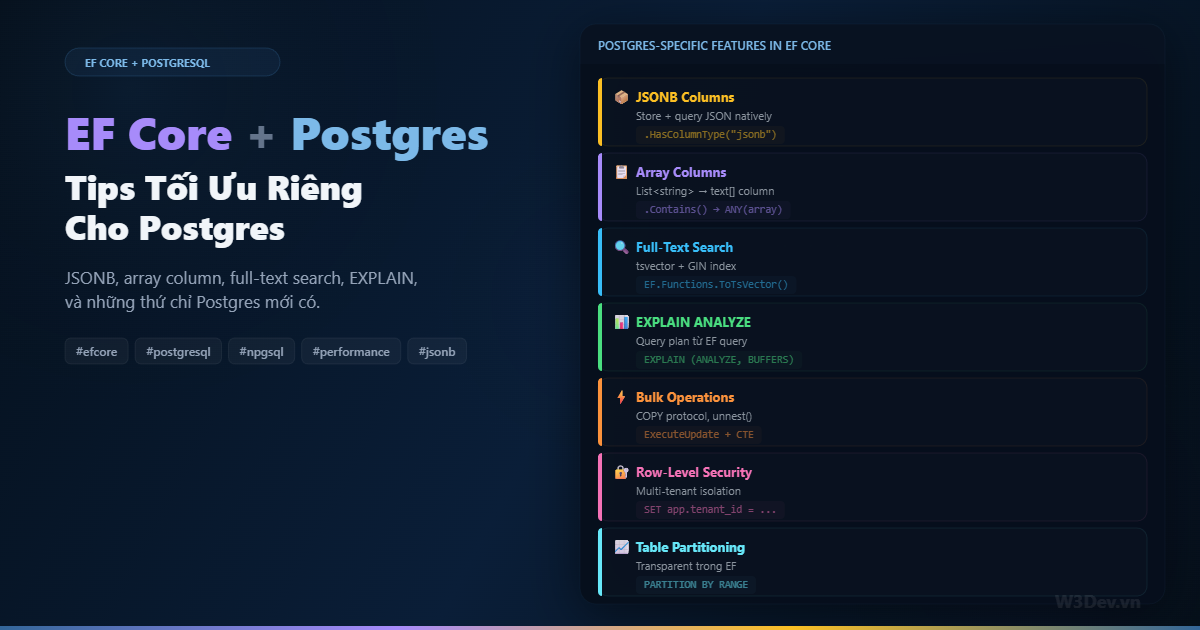
Phần lớn tutorial EF Core viết cho SQL Server. Dùng được cho Postgres, nhưng bạn đang bỏ lỡ rất nhiều — Postgres có JSONB, array columns, full-text search, range types, advisory locks, LISTEN/NOTIFY, và hàng loạt tính năng mà SQL Server không có hoặc implement khác.
Mình chuyển từ SQL Server sang Postgres cách đây ba năm và mất gần nửa năm mới "tư duy Postgres" thay vì "tư duy SQL Server trên Postgres". Hai thứ rất khác nhau. Bài viết này tổng hợp những tips tối ưu mà chỉ áp dụng cho Postgres — không phải kiến thức EF Core chung, mà là thứ Npgsql provider cho bạn mà provider khác không có.
Setup: Npgsql provider
dotnet add package Npgsql.EntityFrameworkCore.PostgreSQL
builder.Services.AddDbContext<AppDbContext>(options =>
    options.UseNpgsql(connectionString, npgsql =>
    {
        npgsql.EnableRetryOnFailure(3);    // auto retry transient errors
        npgsql.CommandTimeout(30);
        npgsql.UseQuerySplittingBehavior(QuerySplittingBehavior.SplitQuery);
    }));
Tip 1: JSONB Column — schema linh hoạt trong relational database
Đây là tính năng killer của Postgres mà SQL Server nvarchar(max) JSON không sánh được. JSONB là binary JSON — indexed, queryable, và fast.
Khi nào dùng
Metadata, settings, audit trail, form data động, API response cache — bất kỳ data nào schema không cố định hoặc thay đổi thường xuyên. Thay vì tạo 10 nullable columns cho 10 optional fields, nhồi vào JSONB.
EF Core mapping
public class Product
{
    public int Id { get; set; }
    public string Name { get; set; } = string.Empty;
    public decimal Price { get; set; }

    // JSONB — flexible attributes tùy category
    public Dictionary<string, object> Attributes { get; set; } = new();

    // hoặc typed object
    public ProductMetadata? Metadata { get; set; }
}

public class ProductMetadata
{
    public string? Color { get; set; }
    public double? Weight { get; set; }
    public List<string> Tags { get; set; } = new();
    public Dictionary<string, string> Specs { get; set; } = new();
}
// DbContext configuration
modelBuilder.Entity<Product>(entity =>
{
    entity.Property(e => e.Attributes)
        .HasColumnType("jsonb");

    entity.Property(e => e.Metadata)
        .HasColumnType("jsonb");

    // GIN index cho JSONB — query nhanh
    entity.HasIndex(e => e.Attributes)
        .HasMethod("gin");
});
Query JSONB trong LINQ
Npgsql translate LINQ operators thành PostgreSQL JSON operators:
// tìm product có attribute "color" = "red"
var redProducts = await db.Products
    .Where(p => p.Attributes.ContainsKey("color")
             && (string)p.Attributes["color"] == "red")
    .ToListAsync();
// SQL: WHERE attributes ? 'color' AND attributes->>'color' = 'red'

// tìm product có tag "sale"
var onSale = await db.Products
    .Where(p => p.Metadata!.Tags.Contains("sale"))
    .ToListAsync();
// SQL: WHERE metadata->'Tags' ? 'sale'

// full-text search trong JSONB
var results = await db.Products
    .Where(p => EF.Functions.JsonContains(
        p.Attributes,
        new { brand = "Apple" }))
    .ToListAsync();
// SQL: WHERE attributes @> '{"brand":"Apple"}'
Khi nào KHÔNG dùng JSONB
Đừng nhồi tất cả vào JSONB rồi biến Postgres thành MongoDB. Dùng JSONB cho data thực sự flexible — metadata, settings. Data có quan hệ rõ ràng (foreign key, join) vẫn nên nằm trong relational columns. Bạn không JOIN vào bên trong JSONB được — query phức tạp trên nested JSON sẽ chậm hơn relational query rất nhiều.
Tip 2: Array Columns — ngừng tạo bảng junction
Postgres native support array type. List<string> trong C# map thẳng sang text[] column — không cần bảng trung gian cho many-to-many đơn giản.
public class Article
{
    public int Id { get; set; }
    public string Title { get; set; } = string.Empty;
    public List<string> Tags { get; set; } = new();      // → text[]
    public List<int> RelatedIds { get; set; } = new();    // → integer[]
}
// không cần config đặc biệt — Npgsql auto-detect List<T>

// query: tìm article có tag "csharp"
var articles = await db.Articles
    .Where(a => a.Tags.Contains("csharp"))
    .ToListAsync();
// SQL: WHERE 'csharp' = ANY(tags)

// query: tìm article có BẤT KỲ tag nào trong danh sách
var searchTags = new[] { "dotnet", "csharp", "efcore" };
var articles = await db.Articles
    .Where(a => a.Tags.Any(t => searchTags.Contains(t)))
    .ToListAsync();
// SQL: WHERE tags && ARRAY['dotnet','csharp','efcore']

// index cho array
modelBuilder.Entity<Article>()
    .HasIndex(a => a.Tags)
    .HasMethod("gin");
Array vs Junction table
Use case: Article có tags (string)

Junction table approach:
  articles (id, title)
  tags (id, name)
  article_tags (article_id, tag_id)
  → 3 bảng, 2 JOINs cho mỗi query

Array approach:
  articles (id, title, tags text[])
  → 1 bảng, 0 JOINs, GIN index cho search
Array phù hợp khi: tag/label là simple value (string, int), không cần metadata riêng cho mỗi tag, không cần query "tất cả article của tag X" thường xuyên ở chiều ngược.
Junction table phù hợp khi: tag có thêm attribute (description, color, created_by), cần bi-directional query, cần referential integrity, hoặc số lượng items trong array rất lớn (100+).
Tip 3: Generated tsvector Column cho Full-Text Search
PostgreSQL full-text search tích hợp trong EF Core qua Npgsql:
public class Article
{
    public int Id { get; set; }
    public string Title { get; set; } = string.Empty;
    public string Body { get; set; } = string.Empty;

    // generated column cho search
    public NpgsqlTsVector SearchVector { get; set; } = null!;
}
modelBuilder.Entity<Article>(entity =>
{
    entity.Property(a => a.SearchVector)
        .HasComputedColumnSql(
            "setweight(to_tsvector('english', coalesce(title, '')), 'A') || " +
            "setweight(to_tsvector('english', coalesce(body, '')), 'B')",
            stored: true);

    entity.HasIndex(a => a.SearchVector)
        .HasMethod("gin");
});
Query bằng LINQ:
var results = await db.Articles
    .Where(a => a.SearchVector.Matches(
        EF.Functions.PlainToTsQuery("english", searchTerm)))
    .OrderByDescending(a => a.SearchVector.Rank(
        EF.Functions.PlainToTsQuery("english", searchTerm)))
    .Take(20)
    .Select(a => new
    {
        a.Id,
        a.Title,
        Headline = EF.Functions.ToTsHeadline(
            "english", a.Body,
            EF.Functions.PlainToTsQuery("english", searchTerm))
    })
    .ToListAsync();
Toàn bộ full-text search qua LINQ — không raw SQL. Matches() translate sang @@, Rank() translate sang ts_rank(), ToTsHeadline() highlight keywords. Npgsql translate tất cả cho bạn.
Tip 4: EXPLAIN ANALYZE — xem query plan thật
EF Core generate SQL, nhưng SQL có thực sự hiệu quả không? Cần xem execution plan.
Cách nhanh nhất
// extension method xem query plan
public static class QueryableExtensions
{
    public static async Task<string> ExplainAnalyzeAsync<T>(
        this IQueryable<T> query, DbContext db)
    {
        var sql = query.ToQueryString();
        var plan = await db.Database
            .SqlQueryRaw<string>($"EXPLAIN (ANALYZE, BUFFERS, FORMAT TEXT) {sql}")
            .ToListAsync();
        return string.Join("\n", plan);
    }
}

// sử dụng
var query = db.Products
    .Where(p => p.Price > 100)
    .Include(p => p.Category)
    .OrderBy(p => p.Name);

var plan = await query.ExplainAnalyzeAsync(db);
Console.WriteLine(plan);
Đọc query plan — những dấu hiệu cần chú ý
Seq Scan on products  (cost=0.00..1523.00 rows=50000 ...)
  Filter: (price > 100)
  Rows Removed by Filter: 45000
Seq Scan + Rows Removed cao = quét toàn bảng rồi filter. Cần index:
modelBuilder.Entity<Product>()
    .HasIndex(p => p.Price);
// hoặc partial index nếu chỉ cần filter active
modelBuilder.Entity<Product>()
    .HasIndex(p => p.Price)
    .HasFilter("is_active = true");
Sau khi thêm index:
Index Scan using ix_products_price on products  (cost=0.29..52.50 rows=5000 ...)
  Index Cond: (price > 100)
1523 → 52.5 cost. Index hoạt động.
Logging query plan trong development
// auto explain cho mọi query chậm hơn 100ms
// chạy 1 lần khi startup (development only)
if (app.Environment.IsDevelopment())
{
    using var scope = app.Services.CreateScope();
    var db = scope.ServiceProvider.GetRequiredService<AppDbContext>();
    await db.Database.ExecuteSqlRawAsync(
        "SET auto_explain.log_min_duration = '100ms'");
}
PostgreSQL auto_explain extension ghi plan vào log cho mọi query vượt threshold — catch slow query mà không cần thêm code.
Tip 5: Bulk Upsert hiệu quả
EF Core AddRange + SaveChanges insert từng row bằng INSERT riêng lẻ. 10.000 rows = 10.000 INSERT statements. Postgres có cách nhanh hơn nhiều.
executeSql với unnest
public async Task BulkUpsertProducts(List<Product> products)
{
    var names = products.Select(p => p.Name).ToArray();
    var prices = products.Select(p => p.Price).ToArray();
    var skus = products.Select(p => p.Sku).ToArray();

    await db.Database.ExecuteSqlAsync($"""
        INSERT INTO products (name, price, sku)
        SELECT * FROM unnest(
            {names}::text[],
            {prices}::numeric[],
            {skus}::text[]
        )
        ON CONFLICT (sku) DO UPDATE SET
            name = EXCLUDED.name,
            price = EXCLUDED.price,
            modified_at = now()
        """);
}
unnest() expand arrays thành rows — Postgres convert 3 arrays (names, prices, skus) thành table rồi INSERT tất cả trong 1 statement. ON CONFLICT biến INSERT thành UPSERT — insert nếu mới, update nếu đã tồn tại.
Benchmark 10.000 rows:
EF Core AddRange + SaveChanges:    ~8.5 giây
Raw INSERT VALUES (batched):       ~1.2 giây
unnest + ON CONFLICT:              ~0.3 giây
COPY protocol (Npgsql):            ~0.15 giây
COPY protocol cho insert thuần
Nhanh nhất có thể — Postgres COPY binary protocol:
public async Task BulkInsertWithCopy(List<Product> products)
{
    await using var conn = (NpgsqlConnection)db.Database.GetDbConnection();
    await conn.OpenAsync();

    await using var writer = await conn.BeginBinaryImportAsync(
        "COPY products (name, price, sku, created_at) FROM STDIN (FORMAT BINARY)");

    foreach (var product in products)
    {
        await writer.StartRowAsync();
        await writer.WriteAsync(product.Name);
        await writer.WriteAsync(product.Price);
        await writer.WriteAsync(product.Sku);
        await writer.WriteAsync(DateTimeOffset.UtcNow, NpgsqlDbType.TimestampTz);
    }

    await writer.CompleteAsync();
}
COPY bypass SQL parser hoàn toàn — stream binary data thẳng vào table. 10.000 rows trong 150ms. Nhược điểm: không có ON CONFLICT, chỉ INSERT thuần. Dùng cho initial data load, ETL, hoặc insert vào staging table rồi merge sau.
Tip 6: Enum mapping — Postgres native enum
public enum OrderStatus
{
    Pending,
    Processing,
    Shipped,
    Delivered,
    Cancelled
}
Mặc định EF Core lưu enum dạng integer. Postgres cho bạn option tốt hơn — native enum type:
// DbContext OnModelCreating
modelBuilder.HasPostgresEnum<OrderStatus>();

modelBuilder.Entity<Order>()
    .Property(o => o.Status)
    .HasColumnType("order_status"); // postgres enum type
// Program.cs — register enum trong Npgsql
var dataSourceBuilder = new NpgsqlDataSourceBuilder(connectionString);
dataSourceBuilder.MapEnum<OrderStatus>();
var dataSource = dataSourceBuilder.Build();

builder.Services.AddDbContext<AppDbContext>(options =>
    options.UseNpgsql(dataSource));
Lợi ích: database level validation (không thể insert giá trị sai), storage nhỏ hơn string, query nhanh hơn string comparison, và SELECT DISTINCT status FROM orders trả về giá trị readable thay vì số 0, 1, 2.
Nhược điểm: thêm enum value cần ALTER TYPE ... ADD VALUE — migration phải handle. Xóa enum value thì gần như không thể nếu đã có data.
Tip 7: Connection pooling đúng cách
Postgres có giới hạn connection mặc định 100. EF Core tạo connection pool riêng. Đa số app .NET default 100 connections trong pool. Chạy 2 instance = 200 connections → vượt Postgres limit → connection refused.
Pgbouncer — connection pooler
Thay vì mỗi app instance giữ pool riêng, dùng Pgbouncer làm proxy:
App Instance 1 ──┐
App Instance 2 ──┼── Pgbouncer (pool 50) ── PostgreSQL (max_connections=100)
App Instance 3 ──┘
Background Job ──┘
// connection string qua Pgbouncer
"Host=pgbouncer;Port=6432;Database=mydb;Username=app;Password=xxx;
 Pooling=false;  // TẮT pooling phía Npgsql — Pgbouncer lo
 No Reset On Close=true;"
Pooling=false vì Pgbouncer đã pool ở layer giữa. Hai layer pool chồng nhau gây waste connection.
Không dùng Pgbouncer — tune pool phía Npgsql
"Host=postgres;Database=mydb;Username=app;Password=xxx;
 Minimum Pool Size=5;      // giữ sẵn 5 connection
 Maximum Pool Size=20;     // max 20 — tùy Postgres max_connections
 Connection Idle Lifetime=60;  // đóng connection idle sau 60s
 Connection Pruning Interval=10;"
Giảm Maximum Pool Size cho mỗi instance sao cho tổng tất cả instance < max_connections của Postgres. 3 instance × 20 = 60, đủ headroom cho Postgres default 100.
Tip 8: Npgsql NodaTime — xử lý datetime đúng cách
DateTime và DateTimeOffset trong .NET gây confusion với Postgres timestamp vs timestamptz. NodaTime plugin giải quyết triệt để:
dotnet add package Npgsql.EntityFrameworkCore.PostgreSQL.NodaTime
// setup
var dataSourceBuilder = new NpgsqlDataSourceBuilder(connectionString);
dataSourceBuilder.UseNodaTime();
var dataSource = dataSourceBuilder.Build();

builder.Services.AddDbContext<AppDbContext>(options =>
    options.UseNpgsql(dataSource, o => o.UseNodaTime()));
using NodaTime;

public class Order
{
    public int Id { get; set; }
    public Instant CreatedAt { get; set; }        // → timestamptz
    public LocalDate ShippingDate { get; set; }    // → date
    public LocalTime CutoffTime { get; set; }      // → time
    public Duration ProcessingTime { get; set; }   // → interval
}
Instant = thời điểm chính xác (UTC), map sang timestamptz. LocalDate = ngày không có timezone, map sang date. Không còn nhầm lẫn giữa UTC và local time — type system enforce đúng.
Tip 9: Optimistic concurrency với xmin
SQL Server dùng rowversion. Postgres có cách riêng — system column xmin:
public class Product
{
    public int Id { get; set; }
    public string Name { get; set; } = string.Empty;

    [Timestamp]
    public uint Version { get; set; }  // map sang xmin
}
modelBuilder.Entity<Product>()
    .Property(p => p.Version)
    .HasColumnName("xmin")
    .HasColumnType("xid")
    .ValueGeneratedOnAddOrUpdate()
    .IsConcurrencyToken();
xmin là transaction ID tạo/update row — tự thay đổi mỗi lần row update, không cần trigger hay computed column. EF Core tự thêm WHERE xmin = @oldValue khi UPDATE. Nếu row đã bị sửa bởi transaction khác → DbUpdateConcurrencyException.
Zero overhead — xmin đã tồn tại trong mọi Postgres row, bạn chỉ bảo EF Core dùng nó.
Tip 10: Advisory Locks — distributed lock không cần Redis
Cần đảm bảo chỉ một process chạy một task tại một thời điểm? Postgres advisory lock:
public class DistributedLock
{
    private readonly AppDbContext _db;

    public DistributedLock(AppDbContext db) => _db = db;

    public async Task<bool> TryAcquireAsync(long lockId)
    {
        var result = await _db.Database
            .SqlQuery<bool>($"SELECT pg_try_advisory_lock({lockId}) AS Value")
            .SingleAsync();
        return result;
    }

    public async Task ReleaseAsync(long lockId)
    {
        await _db.Database
            .ExecuteSqlAsync($"SELECT pg_advisory_unlock({lockId})");
    }
}

// usage: đảm bảo chỉ 1 instance chạy scheduled job
public class DailyReportJob : BackgroundService
{
    protected override async Task ExecuteAsync(CancellationToken ct)
    {
        while (!ct.IsCancellationRequested)
        {
            using var scope = _scopeFactory.CreateScope();
            var lockService = scope.ServiceProvider.GetRequiredService<DistributedLock>();

            const long REPORT_LOCK = 1001;

            if (await lockService.TryAcquireAsync(REPORT_LOCK))
            {
                try
                {
                    await GenerateDailyReport();
                }
                finally
                {
                    await lockService.ReleaseAsync(REPORT_LOCK);
                }
            }

            await Task.Delay(TimeSpan.FromHours(1), ct);
        }
    }
}
pg_try_advisory_lock non-blocking — return false nếu lock đã bị giữ. Không cần Redis, không cần third-party library. Lock sống trong Postgres shared memory, release khi connection đóng hoặc explicit unlock.
Tip 11: Partial Index — index thông minh hơn
Postgres cho index chỉ cover một phần data — giảm size, tăng speed:
// EF Core fluent API
modelBuilder.Entity<Order>(entity =>
{
    // chỉ index orders chưa xử lý — active orders thường ít hơn total orders
    entity.HasIndex(o => o.CreatedAt)
        .HasFilter("status IN ('Pending', 'Processing')")
        .HasDatabaseName("ix_orders_active_created");

    // index cho soft-delete: chỉ index records chưa xóa
    entity.HasIndex(o => o.CustomerId)
        .HasFilter("is_deleted = false")
        .HasDatabaseName("ix_orders_customer_active");

    // unique constraint chỉ cho active records
    entity.HasIndex(o => o.OrderNumber)
        .IsUnique()
        .HasFilter("is_deleted = false")
        .HasDatabaseName("ix_orders_number_unique_active");
});
Partial unique index là giải pháp cho soft delete + unique constraint — "mỗi order number unique, nhưng chỉ trong active orders". Deleted records có thể trùng order number mà không vi phạm constraint.
Bảng 10 triệu orders, 95% đã delivered: full index = 10M entries, partial index active = 500K entries. Nhỏ hơn 20 lần, nhanh hơn tương ứng.
Tip 12: LISTEN/NOTIFY — real-time từ database
Postgres có pub/sub built-in. Thay vì poll database mỗi 5 giây, database push notification khi data thay đổi:
-- trigger gửi notification khi order mới được tạo
CREATE OR REPLACE FUNCTION notify_new_order()
RETURNS trigger AS $$
BEGIN
    PERFORM pg_notify('new_order', json_build_object(
        'id', NEW.id,
        'customer', NEW.customer_name,
        'total', NEW.total
    )::text);
    RETURN NEW;
END;
$$ LANGUAGE plpgsql;

CREATE TRIGGER trg_new_order
    AFTER INSERT ON orders
    FOR EACH ROW EXECUTE FUNCTION notify_new_order();
Listen trong .NET:
public class OrderNotificationService : BackgroundService
{
    private readonly string _connectionString;
    private readonly IServiceScopeFactory _scopeFactory;

    protected override async Task ExecuteAsync(CancellationToken ct)
    {
        await using var conn = new NpgsqlConnection(_connectionString);
        await conn.OpenAsync(ct);

        conn.Notification += (sender, args) =>
        {
            var orderData = JsonSerializer.Deserialize<NewOrderEvent>(args.Payload);
            // push qua SignalR, process, v.v.
            _ = HandleNewOrder(orderData!);
        };

        await using var cmd = new NpgsqlCommand("LISTEN new_order", conn);
        await cmd.ExecuteNonQueryAsync(ct);

        while (!ct.IsCancellationRequested)
        {
            await conn.WaitAsync(ct);  // block cho đến khi có notification
        }
    }
}
Real-time notification từ database → .NET app → SignalR → browser. Không polling, không message queue, không thêm infrastructure. Phù hợp cho dashboard real-time, notification system, hoặc cache invalidation.
Giới hạn: payload max 8KB, không persist (miss nếu listener offline), không guaranteed delivery. Cho critical events, dùng outbox pattern. Cho real-time UI update, LISTEN/NOTIFY đủ tốt.
Tổng kết
Postgres không phải "SQL Server nhưng miễn phí". Nó là database engine riêng với bộ tính năng riêng — và khi dùng đúng, nhiều thứ bạn tưởng cần thêm infrastructure (Redis cho cache/lock, Elasticsearch cho search, RabbitMQ cho pub/sub) thực ra Postgres đã cung cấp built-in.
JSONB thay flexible schema storage. Array columns thay junction tables đơn giản. Full-text search thay Elasticsearch cho use case vừa. Advisory locks thay Redis distributed lock. LISTEN/NOTIFY thay message queue cho real-time notification.
Không phải mọi Postgres feature đều cần dùng — chọn cái nào phù hợp với bài toán. Nhưng biết chúng tồn tại giúp bạn chọn đúng tool thay vì mặc định thêm service mới cho mọi vấn đề.

Leave a comment
Your email address will not be published. Required fields are marked *